
new
All Plans
Mobile
Mobile: Power Search
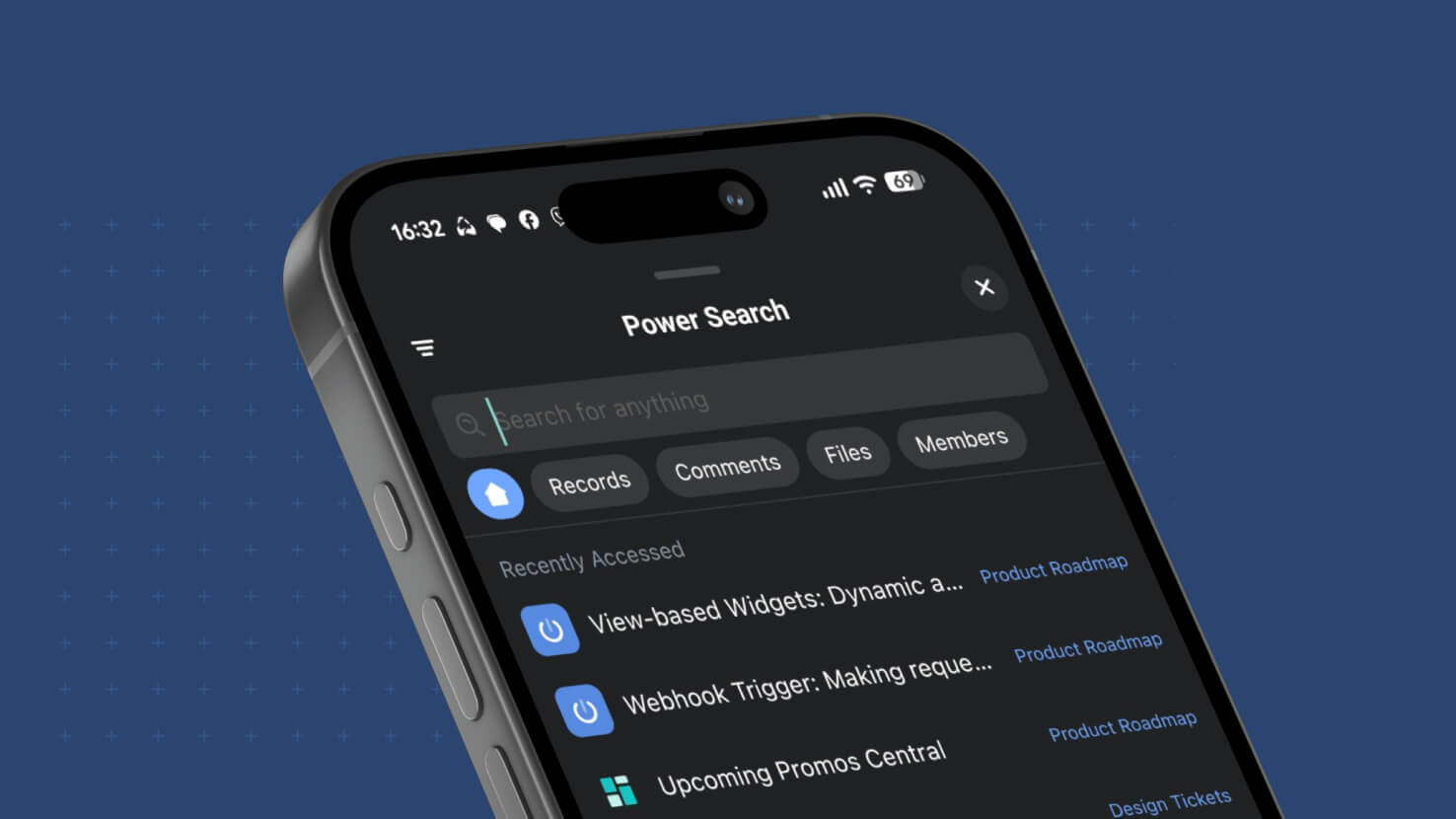 Power Search comes to SmartSuite Mobile. Tapping the Search icon on iOS or Android now opens a Power Search modal that reproduces the desktop experience — workspace-wide record search across every Solution and Table, with the same filter set that the desktop Power Search provides. Field service techs looking up a work order without remembering which Solution it's in, ITSM agents pulling up an incident from a customer name typed at the pump, and PMO leads finding a task assigned to a specific member across every project all get the same "find anything from anywhere" experience mobile that they already had at their desk.
Key Highlights
- Workspace-Wide Mobile Search: Tapping the Search icon on the mobile app opens a Power Search modal that searches record content across every Solution and every Table in the workspace — no more homepage-scoped or Table-scoped search on mobile.
- Desktop Filter Parity: The mobile Power Search modal offers the same filter set that the desktop Power Search provides — narrow the result set by Solution, by Table, by field values, or by any other filter dimension supported today on web.
- Native Mobile UI: The Power Search modal is a native mobile interface, not a mobile-browser fallback — matching the native-mobile experience the app already provides for Grid, Calendar, Card View, Chart View, Internal Forms, and Shared Forms.
- No Configuration Required: Every mobile user picks up the new behavior automatically once they update the SmartSuite Mobile app.
- Continues the Mobile-Parity Arc: Ships alongside a multi-week mobile-parity push — Jul 20 Calendar and Card View widgets, Aug 3 Chart Widget, Aug 10 Internal and Shared Forms, and now Aug 31 Power Search.
How It Works
- Update the SmartSuite Mobile app to the latest version on iOS or Android.
- From the Home screen or from inside any Table, tap the Search icon.
- The Power Search modal opens. Type a search term to search record content across every Solution and Table in your workspace.
- Apply filters to narrow the result set — the same filters available in desktop Power Search work here.
- Tap a result to open the record.
Available on all plans. No configuration required.