
new
All Plans
Linked Records: Advanced Settings
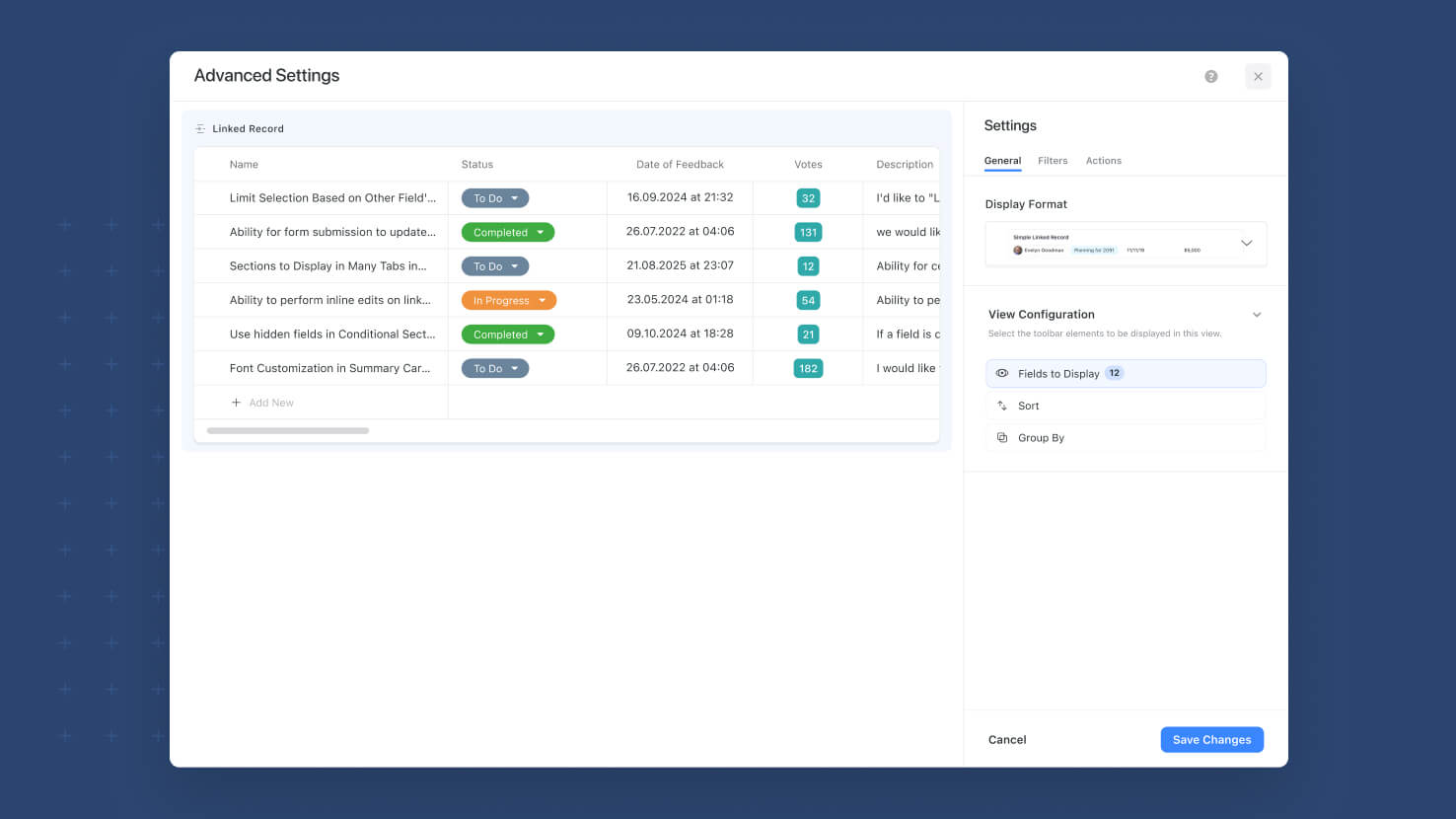
The Linked Record field settings pick up a new Advanced Settings modal that consolidates the display-configuration controls (Fields to Display, Group, Sort) and adds new capabilities on their own tabs. The modal opens with a live Preview on the left rendered from the last 50 records of the target table, and organizes settings across General (display format + Fields / Group / Sort), Filters (new — Static and Dynamic filters, ships alongside this release), and Actions (later phase) tabs. Simplifies the main Linked Record field settings screen while making the advanced surface much easier to configure.
Key Highlights
- New Advanced Settings Button: A single Advanced Settings button on the Linked Record field configuration opens the new modal. Fields, Group, and Sort controls move from the main settings screen into the modal so the main configuration surface stays clean.
- General Tab: Display format, Fields to Display, Group, and Sort in one place. Same functionality as before, better-organized surface.
- Filters Tab (new this release): Configure Static Filters (fixed conditions the viewer can't change) and Dynamic Filters (viewer-facing filter controls) on the Linked Record field. Ships alongside Linked Records: Static Filters and Linked Records: Dynamic Filters this same release.
- Actions Tab (placeholder): Reserved for a later phase.
- Live Preview: The left panel renders a live preview of the configured Linked Record using the most recent 50 records from the target table, so Solution Managers can see the effect of every configuration change without leaving the modal.
- Same Underlying Behavior: This is a UI reorganization plus a new Filters capability, not a change to how Linked Records themselves work. Existing configured Linked Record fields inherit the new modal automatically.
How It Works
- Open a Linked Record field's settings. In place of the previously-exposed Fields, Group, and Sort controls, an Advanced Settings button now appears.
- Click Advanced Settings to open the modal. The General tab loads by default with the display format, Fields, Group, and Sort controls.
- Switch to the Filters tab to configure Static or Dynamic filters on the field (or leave as None).
- Watch the live Preview on the left refresh as you change settings, sampled from the last 50 records of the target table.
- Save. Configuration applies to the Linked Record field everywhere it's referenced.
Second of three Linked Records enhancements shipping this release, following the Jul 27 Sticky Add New + Grouping and Aug 17 Dropdown Mode releases. Available on all plans.