
new
All Plans
Date Filters: Calendar Periods and Custom Units
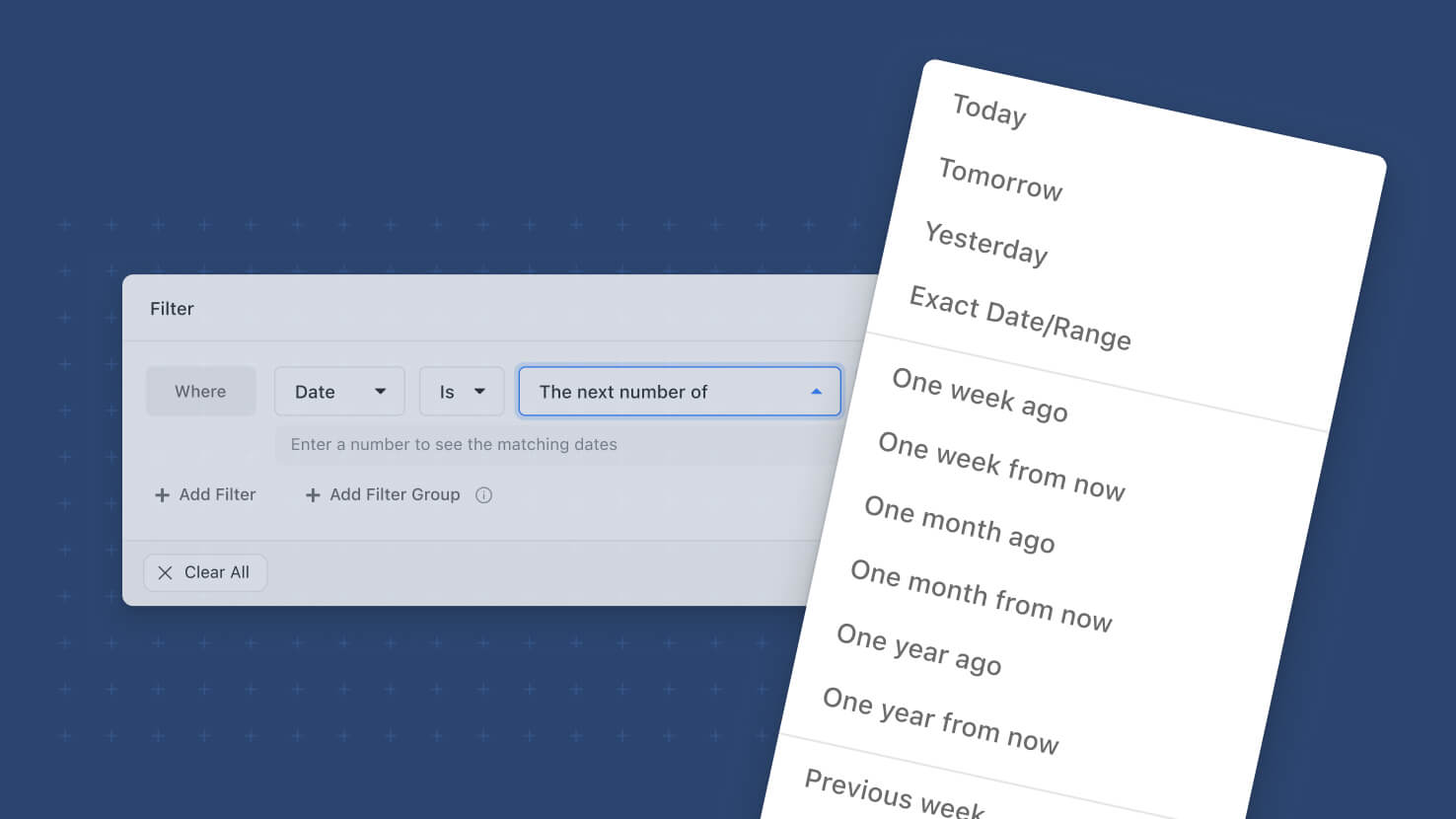
Date filter options now mean what their names say. Six options named after calendar periods — "The next week," "The past month" and their siblings — filtered rolling ranges anchored to today, so "next week" returned the next seven days rather than the upcoming calendar week. Those labels now carry true calendar meaning, "Past" becomes "Previous" to keep the distinction explicit, and twelve calendar periods are available across week, month, quarter and year. Quarters arrive as a filter unit for the first time. The rolling behavior moves to the parameterized options, which now pair a count with a unit picker for days, weeks, months, quarters or years.
Key Highlights
- Calendar Periods That Behave Like Calendar Periods: "Next week" is Monday through Sunday of the upcoming week. "Next month" is the first through the last day of next month. "Next year" is January 1 through December 31. No more rolling range hiding behind a calendar name.
- Twelve Periods, Four Units: Previous, Current and Next are each available for week, month, quarter and year. Current week, Current month, Current quarter and Current year are entirely new.
- Quarters, For The First Time: Previous quarter, Current quarter and Next quarter resolve to calendar quarters, with Q1 running January through March. "Everything closing this quarter" is now a single condition.
- A Unit Picker For Rolling Ranges: "The next number of…" and "The past number of…" keep their count and add a unit control for days, weeks, months, quarters or years. Ten unit-specific options collapse into two, so the value list stays short even as the vocabulary grows. Counts are accepted up to 999.
- Resolved-Range Preview: Every filter row shows the date range the condition actually resolves to, produced from the same resolution the filter itself runs. What the row says and what the grid returns agree.
- Week Start Follows Your Locale: Period boundaries come from each member's profile locale, so a Monday-first team and a Sunday-first team each see their own week.
- Comparison Operators Gain Periods: "is before," "is after," "is on or before" and "is on or after" accept calendar periods and parameterized values. Before a period means before its first day; after a period means after its last day.
- First Created And Last Updated Stay Past-Only: These fields get Previous and Current periods plus "The past number of…", and never offer future options.
- Saved Configurations Migrate Themselves: Every saved filter, view and dashboard using one of the six retired rolling options is rewritten to the equivalent parameterized option. No one needs to rebuild a filter.
- The API Is Additive: New mode names cover the new semantics, and existing modes keep their current behavior indefinitely. Nothing an integration sends today changes what it gets back.
How It Works
- Open any date filter and choose an operator. The value list now groups Today, Tomorrow and Yesterday, the twelve calendar periods, the two parameterized options, and Exact Date or Range.
- Pick a calendar period — Current quarter, say — and the condition resolves to that quarter's first and last day. The line beneath the row states the range, so there is nothing to work out.
- For a rolling range, pick "The next number of…" or "The past number of…", type a count, and choose the unit. "The past number of 3 quarters" is one condition.
- Counted ranges look forward from today or back to yesterday: the next N units includes today, the past N units ends yesterday, so no date matches both directions.
- Everything applies wherever date filters already work, including the filter panel, saved views, dashboard widget filters, spotlights, conditional display rules, document templates and exports.
Filters that read like the question you were asking. Available on all plans.