
ImprovedAll Plans
AI Assistant: Bring your own model
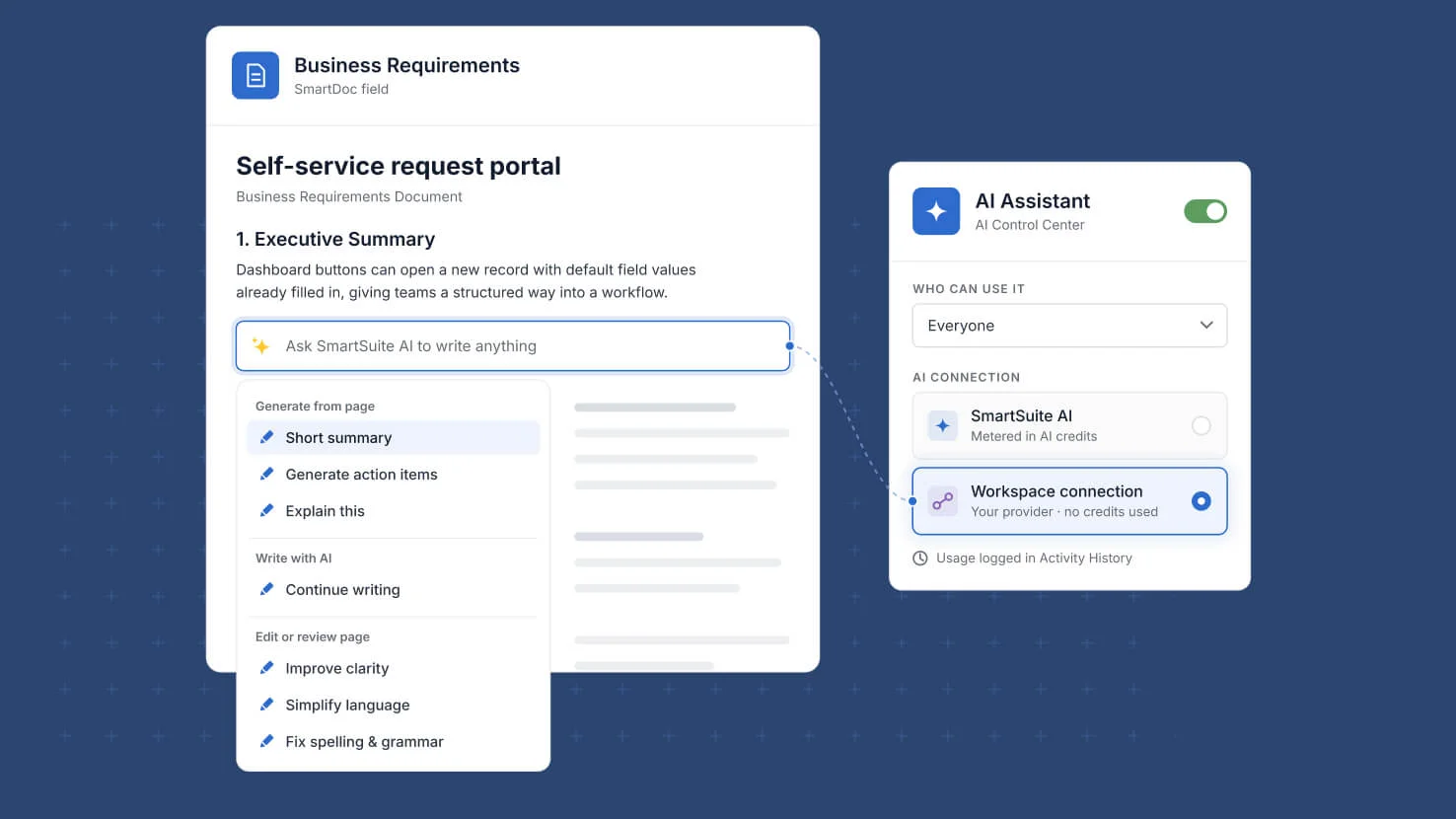
AI that drafts policy text, procedures and contract language should answer to the same controls as everything else in the workspace. The SmartDoc AI Assistant now runs on the AI connections configured in AI Control Center, the same providers and models already behind Copilot and AI agents, instead of a fixed SmartSuite key.
Key Highlights
- Governed AI In Documents: Administrators decide which provider and model see document content, so drafting a policy or a control narrative with AI follows the workspace's own data governance rules.
- Bring Your Own Model: Point the assistant at any AI connection your workspace has set up and its requests run on that provider, under your agreement.
- Scoped Access: Choose who can use the assistant: everyone, only selected members and teams, or everyone except a named set.
- Credits Or Your Own Contract: Left on SmartSuite AI, requests are metered in SmartSuite AI credits and the editor popup shows the balance remaining. On a workspace connection, no SmartSuite credits are deducted.
- Evidence In Activity History: Every request is recorded in Activity History as AI Assistant, so AI use inside documents is reviewable alongside every other action.
- Migrated For You: Workspaces that had saved their own API key were moved onto a matching AI connection, and workspaces that had the assistant switched off stayed that way.
How It Works
- Open AI Control Center and find the AI Assistant card alongside the other AI capabilities.
- Switch the assistant on or off for the workspace from that card.
- Set who can use it: everyone, only selected members and teams, or everyone except a chosen set.
- Pick the AI connection its requests run on. The default is SmartSuite AI, metered in credits.
- In any SmartDoc field, type a forward slash and choose Ask AI, or press the space bar at the start of a new line, to draft, rewrite, shorten, lengthen or summarize.
- Review usage in Activity History, where assistant requests appear as AI Assistant.
Document AI now sits under the same connections, permissions and credits model as the rest of SmartSuite AI, with the audit trail to match. Available now in AI Control Center.